<!DOCTYPE html>
    <html lang="vi" xmlns="http://www.w3.org/1999/xhtml" prefix="og: http://ogp.me/ns#">
    <head>
<title>Tin học 12 - Bài 3 - Một số thiết bị mạng thông dụng</title>
<meta name="description" content="Tin học 12 - Bài 3 - Một số thiết bị mạng thông dụng - Savefile - Hỗ trợ học tập -...">
<meta name="author" content="Lê Tấn Tài">
<meta name="copyright" content="Lê Tấn Tài [letantai2008@gmail.com]">
<meta name="generator" content="NukeViet v4.5">
<meta http-equiv="Content-Type" content="text/html; charset=utf-8">
<meta property="og:title" content="Tin học 12 - Bài 3 - Một số thiết bị mạng thông dụng">
<meta property="og:type" content="website">
<meta property="og:description" content="Savefile - Hỗ trợ học tập - https&#x3A;&#x002F;&#x002F;letantai.io.vn&#x002F;vi&#x002F;hocvoiai&#x002F;savefile&#x002F;tin-hoc-12&#x002F;tin-hoc-12-bai-3-mot-so-thiet-bi-mang-thong-dung-3.html">
<meta property="og:site_name" content="Lê Tấn Tài">
<meta property="og:url" content="https://letantai.io.vn/vi/hocvoiai/savefile/tin-hoc-12/tin-hoc-12-bai-3-mot-so-thiet-bi-mang-thong-dung-3.html">
<link rel="shortcut icon" href="https://letantai.io.vn/favicon.ico">
<link rel="canonical" href="https://letantai.io.vn/vi/hocvoiai/savefile/tin-hoc-12/tin-hoc-12-bai-3-mot-so-thiet-bi-mang-thong-dung-3.html">
<link rel="alternate" href="https://letantai.io.vn/vi/hocvoiai/rss/" title="Hỗ trợ học tập" type="application/rss+xml">
<link rel="alternate" href="https://letantai.io.vn/vi/hocvoiai/rss/tin-hoc-12/" title="Hỗ trợ học tập - Tin học 12" type="application/rss+xml">
<link rel="alternate" href="https://letantai.io.vn/vi/hocvoiai/rss/tri-tue-nhan-tao/" title="Hỗ trợ học tập - Chủ đề&#x3A; Giới thiệu trí tuệ nhân tạo" type="application/rss+xml">
<link rel="alternate" href="https://letantai.io.vn/vi/hocvoiai/rss/ket-noi-mang/" title="Hỗ trợ học tập - Chủ đề&#x3A; Kết nối mạng" type="application/rss+xml">
<link rel="alternate" href="https://letantai.io.vn/vi/hocvoiai/rss/tin-hoc-11/" title="Hỗ trợ học tập - Tin học 11" type="application/rss+xml">
<link rel="alternate" href="https://letantai.io.vn/vi/hocvoiai/rss/tin-hoc-10/" title="Hỗ trợ học tập - Tin học 10" type="application/rss+xml">
<link rel="preload" as="style" href="https://letantai.io.vn/assets/css/font-awesome.min.css" type="text/css">
<link rel="preload" as="style" href="https://letantai.io.vn/themes/default/css/bootstrap.non-responsive.css" type="text/css">
<link rel="preload" as="style" href="https://letantai.io.vn/themes/default/css/style.css" type="text/css">
<link rel="preload" as="style" href="https://letantai.io.vn/themes/default/css/style.non-responsive.css" type="text/css">
<link rel="preload" as="style" href="https://letantai.io.vn/themes/default/css/news.css" type="text/css">
<link rel="preload" as="style" href="https://letantai.io.vn/themes/default/css/custom.css" type="text/css">
<link rel="preload" as="script" href="https://letantai.io.vn/assets/js/jquery/jquery.min.js" type="text/javascript">
<link rel="preload" as="script" href="https://letantai.io.vn/assets/js/language/vi.js" type="text/javascript">
<link rel="preload" as="script" href="https://letantai.io.vn/assets/js/DOMPurify/purify3.js" type="text/javascript">
<link rel="preload" as="script" href="https://letantai.io.vn/assets/js/global.js" type="text/javascript">
<link rel="preload" as="script" href="https://letantai.io.vn/assets/js/site.js" type="text/javascript">
<link rel="preload" as="script" href="https://letantai.io.vn/themes/default/js/news.js" type="text/javascript">
<link rel="preload" as="script" href="https://letantai.io.vn/themes/default/js/main.js" type="text/javascript">
<link rel="preload" as="script" href="https://letantai.io.vn/themes/default/js/custom.js" type="text/javascript">
<link rel="preload" as="script" href="https://letantai.io.vn/themes/default/js/bootstrap.min.js" type="text/javascript">
<link rel="stylesheet" href="https://letantai.io.vn/assets/css/font-awesome.min.css">
<link rel="stylesheet" href="https://letantai.io.vn/themes/default/css/bootstrap.non-responsive.css">
<link rel="stylesheet" href="https://letantai.io.vn/themes/default/css/style.css">
<link rel="stylesheet" href="https://letantai.io.vn/themes/default/css/style.non-responsive.css">
<link rel="StyleSheet" href="https://letantai.io.vn/themes/default/css/news.css">
<link rel="stylesheet" href="https://letantai.io.vn/themes/default/css/custom.css">
<style type="text/css">
	body{background: #fff;}
</style>
    </head>
    <body>
<div id="print">
	<div id="hd_print">
		<h2 class="pull-left">Lê Tấn Tài</h2>
		<p class="pull-right"><a title="Lê Tấn Tài" href="https://letantai.io.vn/">https://letantai.io.vn</a></p>
	</div>
	<div class="clear"></div>
	<hr />
	<div id="content">
		<h1>Tin học 12 - Bài 3 - Một số thiết bị mạng thông dụng</h1>
		<ul class="list-inline">
			<li>Thứ sáu - 24/10/2025 02:00</li>
			<li class="hidden-print txtrequired"><em class="fa fa-print">&nbsp;</em><a title="In ra" href="javascript:;" onclick="window.print()">In ra</a></li>
			<li class="hidden-print txtrequired"><em class="fa fa-power-off">&nbsp;</em><a title="Đóng cửa sổ này" href="javascript:;" onclick="window.close()">Đóng cửa sổ này</a></li>
		</ul>
		<div class="clear"></div>
		<div id="hometext">
						<div class="pull-left imghome">
				<img alt="Tin 12 - Bài 3" src="https://letantai.io.vn/assets/hocvoiai/2025_10/avatin12bai3.jpg" width="100" class="img-thumbnail" />
								<p>
					<em>Tin 12 - Bài 3</em>
				</p>
			</div>
			Tóm tắt bài học: Tin học 12 - Bài 3 - Một số thiết bị mạng thông dụng. Có link trắc nghiệm kiểm tra kiến thức ở cuối bài viết.
		</div>
		<div id="bodytext" class="clearfix">
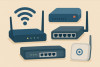
			<p><span style="color:hsl(0,75%,60%);"><strong>Tóm tắt kiến thức: </strong></span><span style="color:hsl(0,75%,60%);font-size:14px;"><span lang="VI"><strong>THIẾT BỊ MẠNG THÔNG DỤNG</strong></span></span></p><p style="line-height:normal;margin-bottom:0cm;text-align:justify;"><span style="color:hsl(240,75%,60%);font-family:&#039;Times New Roman&#039;,serif;font-size:14px;"><span lang="VI"><strong>a) Hub và switch</strong></span></span></p><p style="line-height:normal;margin-bottom:0cm;text-align:justify;"><span style="color:black;font-family:&#039;Times New Roman&#039;,serif;font-size:14px;"><span lang="VI">- Hub và switch dùng để kết nối các máy tính trong cùng LAN trực tiếp qua cáp mạng.</span></span></p><p style="line-height:normal;margin-bottom:0cm;text-align:justify;"><span style="color:black;font-family:&#039;Times New Roman&#039;,serif;font-size:14px;"><span lang="VI">- Khi máy tính gửi dữ liệu qua một cổng của hub, tín hiệu sẽ được gửi đến tất cả các cổng còn lại.</span></span></p><p style="line-height:normal;margin-bottom:0cm;text-align:justify;"><span style="color:black;font-family:&#039;Times New Roman&#039;,serif;font-size:14px;"><span lang="VI">- Switch xác định cổng kết nối giữa thiết bị gửi và thiết bị nhận, sau đó thiết lập tạm thời kênh truyền giữa hai cổng kết nối để truyền dữ liệu và huỷ kết nối sau khi hoàn thành việc truyền.</span></span></p><p style="line-height:normal;margin-bottom:0cm;text-align:justify;"><span style="color:black;font-family:&#039;Times New Roman&#039;,serif;font-size:14px;"><span lang="VI">- Khi dùng switch, tín hiệu đi từ máy gửi đến máy nhận sẽ không gây xung đột với tín hiệu của các cuộc truyền ở cổng khác.</span></span></p><p style="line-height:normal;margin-bottom:0cm;text-align:justify;"><span style="color:black;font-family:&#039;Times New Roman&#039;,serif;font-size:14px;"><span lang="VI">- Khi dùng hub, tín hiệu phát tán ra tất cả các cổng nên càng nhiều máy trong mạng, nguy cơ xung đột tín hiệu càng cao.</span></span></p><p style="line-height:normal;margin-bottom:0cm;text-align:justify;"><span style="color:black;font-family:&#039;Times New Roman&#039;,serif;font-size:14px;"><span lang="VI">- Với các mạng có ít thiết bị đầu cuối như mạng gia đình thì có thể dùng hub vì chi phí rẻ hơn rất nhiều so với một switch có cùng cổng.</span></span></p><p style="line-height:normal;margin-bottom:0cm;text-align:justify;"><span style="color:black;font-family:&#039;Times New Roman&#039;,serif;font-size:14px;"><span lang="VI">- LAN có từ vài chục đến hàng trăm máy tính thì nên dùng switch, thậm chí dùng nhiều switch kết nối thành nhiều tầng, kết hợp với hub ở tầng cuối cùng.</span></span></p><p style="line-height:normal;margin-bottom:0cm;text-align:justify;"><span style="color:hsl(240,75%,60%);font-family:&#039;Times New Roman&#039;,serif;font-size:14px;"><span lang="VI"><strong>b) Wireless Access Point</strong></span></span></p><p style="line-height:normal;margin-bottom:0cm;text-align:justify;"><span style="color:black;font-family:&#039;Times New Roman&#039;,serif;font-size:14px;"><span lang="VI">- Wi-Fi là chữ viết tắt của cụm từ Wireless Fidelity.&nbsp;</span></span></p><p style="line-height:normal;margin-bottom:0cm;text-align:justify;"><span style="color:black;font-family:&#039;Times New Roman&#039;,serif;font-size:14px;"><span lang="VI">- Wi-Fi là một bộ tiêu chuẩn kĩ thuật truyền dữ liệu bằng sóng vô tuyến điện được sử dụng rộng rãi trong các mạng cục bộ. Người ta thường hiểu “Wi-Fi” là thiết bị kết nối không dây trong mạng cục bộ.</span></span></p><p style="line-height:normal;margin-bottom:0cm;text-align:justify;"><span style="color:black;font-family:&#039;Times New Roman&#039;,serif;font-size:14px;"><span lang="VI">-&nbsp;Cách đơn giản nhất để thiết lập một LAN là dùng một bộ thu phát Wi-Fi (</span><i><span lang="VI">Hình 3.3</span></i><span lang="VI">) để kết nối tất cả các thiết bị đầu cuối trong một khu vực mà không phải mua sắm, lắp đặt hub, switch hay cáp mạng. Chính vì cách kết nối này mà bộ (thiết bị, trạm) thu phát Wi-Fi còn được gọi là “điểm truy cập không dây” (Wireless Access Point – WAP, hay Access Point – AP).</span></span></p><p style="line-height:normal;margin-bottom:0cm;text-align:justify;"><span style="color:black;font-family:&#039;Times New Roman&#039;,serif;font-size:14px;"><span lang="VI">- Khi nối thêm một WAP vào LAN, ta có thể kết nối không dây các thiết bị di động giúp mở rộng phạm vi địa lí của LAN.</span></span></p><p style="line-height:normal;margin-bottom:0cm;text-align:justify;"><span style="color:hsl(240,75%,60%);font-family:&#039;Times New Roman&#039;,serif;font-size:14px;"><span lang="VI"><strong>c) Router</strong></span></span></p><p style="line-height:normal;margin-bottom:0cm;text-align:justify;"><span style="color:black;font-family:&#039;Times New Roman&#039;,serif;font-size:14px;"><span lang="VI">- Khi kết nối hai máy tính (có thể cách xa hàng nghìn kilômét) qua Internet, người ta không thể dùng cáp mạng nối qua hub hay switch mà cần sử dụng dịch vụ truyền dữ liệu của các nhà cung cấp dịch vụ viễn thông để kết nối các LAN với nhau.</span></span></p><p style="line-height:normal;margin-bottom:0cm;text-align:justify;"><span style="color:black;font-family:&#039;Times New Roman&#039;,serif;font-size:14px;"><span lang="VI">- Mạng viễn thông sử dụng các bộ định tuyến (router) để chuyển tiếp dữ liệu.</span></span></p><p style="line-height:normal;margin-bottom:0cm;text-align:justify;"><span style="color:black;font-family:&#039;Times New Roman&#039;,serif;font-size:14px;"><span lang="VI">- Mỗi router có một số cổng có thể kết nối trực tiếp vào LAN gọi là cổng LAN và một số cổng để kết nối với các router khác gọi là cổng WAN. Dữ liệu chuyển từ một máy tính ở LAN này đến một máy tính ở LAN khác trên Internet trước hết phải chuyển đến router của LAN qua cổng LAN, sau đó chuyển ra ngoài qua cổng WAN. Khi router có nhiều cổng WAN thì cần chọn cổng thích hợp để chuyển dữ liệu đi tới đích.</span></span></p><p style="line-height:normal;margin-bottom:0cm;text-align:justify;"><span style="color:black;font-family:&#039;Times New Roman&#039;,serif;font-size:14px;"><span lang="VI">- Router của các mạng gia đình chỉ có một cổng WAN kết nối đến nhà cung cấp dịch vụ Internet mà không phải định tuyến nên thường được tích hợp cả bộ thu phát Wi-Fi, do đó chúng được gọi là router Wi-Fi.</span></span></p><p style="line-height:normal;margin-bottom:0cm;text-align:justify;"><span style="color:hsl(240,75%,60%);font-family:&#039;Times New Roman&#039;,serif;font-size:14px;"><span lang="VI"><strong>d) Modem</strong></span></span></p><p style="line-height:normal;margin-bottom:0cm;text-align:justify;"><span style="color:black;font-family:&#039;Times New Roman&#039;,serif;font-size:14px;"><span lang="VI">- Tín hiệu trong LAN là tín hiệu số (digital) thể hiện các giá trị logic 0 hay 1 dùng cho máy tính.</span></span></p><p style="line-height:normal;margin-bottom:0cm;text-align:justify;"><span style="color:black;font-family:&#039;Times New Roman&#039;,serif;font-size:14px;"><span lang="VI">- Để truyền dữ liệu bên ngoài LAN người ta dùng tín hiệu tương tự (analog) như tín hiệu quang, sóng điện từ trong môi trường có dây hoặc không dây như sóng mang của điện thoại công cộng hoặc sóng mang của hệ thống thông tin di động 3G, 4G, 5G,…</span></span></p><p style="line-height:normal;margin-bottom:0cm;text-align:justify;"><span style="color:black;font-family:&#039;Times New Roman&#039;,serif;font-size:14px;"><span lang="VI">- Router chỉ hướng nguồn dữ liệu tới đích nhưng không chuyển đổi tín hiệu.</span></span></p><p style="line-height:normal;margin-bottom:0cm;text-align:justify;"><span style="color:black;font-family:&#039;Times New Roman&#039;,serif;font-size:14px;"><span lang="VI">- Cần sử dụng&nbsp;<strong>modem</strong> có chức năng chuyển tín hiệu số thành tín hiệu tương tự và ngược lại để chuyển đổi tín hiệu hai chiều giữa router và&nbsp;nhà cung cấp dịch vụ Internet.</span></span></p><p style="line-height:normal;margin-bottom:0cm;text-align:justify;"><span style="color:black;font-family:&#039;Times New Roman&#039;,serif;font-size:14px;"><span lang="VI">- Modem chỉ thay đổi tín hiệu mà không làm thay đổi dữ&nbsp;liệu được mang bởi tín hiệu.</span></span></p><p style="line-height:normal;margin-bottom:0cm;text-align:justify;"><span style="color:black;font-family:&#039;Times New Roman&#039;,serif;font-size:14px;"><span lang="VI">- Một số loại modem:&nbsp;</span></span></p><p style="line-height:normal;margin-bottom:0cm;text-align:justify;"><span style="color:black;font-family:&#039;Times New Roman&#039;,serif;font-size:14px;"><span lang="VI">+ Modem quay số (dial-up).</span></span></p><p style="line-height:normal;margin-bottom:0cm;text-align:justify;"><span style="color:black;font-family:&#039;Times New Roman&#039;,serif;font-size:14px;"><span lang="VI">+ Modem ADSL.</span></span></p><p style="line-height:normal;margin-bottom:0cm;text-align:justify;"><span style="color:black;font-family:&#039;Times New Roman&#039;,serif;font-size:14px;"><span lang="VI">+ Modem quang.</span></span></p><p><span style="color:black;font-family:&#039;Times New Roman&#039;,serif;font-size:14px;"><span style="line-height:115%;" lang="VI">+ Modem GSM 3G, 4G, 5G,…</span></span></p><p><strong style="-webkit-text-stroke-width:0px;background-color:rgb(255, 255, 255);box-sizing:border-box;color:rgb(51, 51, 51);font-family:&#039;Helvetica Neue&#039;, Helvetica, Arial, sans-serif;font-size:14px;font-style:normal;font-variant-caps:normal;font-variant-ligatures:normal;letter-spacing:normal;orphans:2;text-align:start;text-decoration-color:initial;text-decoration-style:initial;text-decoration-thickness:initial;text-indent:0px;text-transform:none;white-space:normal;widows:2;word-spacing:0px;">Xem video tóm tắt bài học:</strong></p><div class="nvck-iframe nvck-iframe-responsive" style="padding-bottom:56.25%;" data-iframe-type="auto" data-iframe-width="560" data-iframe-height="315" data-iframe-ratio="16:9"><div class="nvck-iframe-inner"><iframe class="nvck-iframe-element" src="https://www.youtube.com/embed/C4J9F2EYXAg" sandbox="allow-scripts allow-same-origin allow-forms allow-presentation allow-popups" allow="accelerometer; autoplay; clipboard-write; encrypted-media; gyroscope; picture-in-picture; web-share" referrerpolicy="strict-origin-when-cross-origin" allowfullscreen="true"></iframe></div></div><p>&nbsp;</p><p><strong style="-webkit-text-stroke-width:0px;background-color:rgb(255, 255, 255);box-sizing:border-box;color:rgb(51, 51, 51);font-family:&#039;Helvetica Neue&#039;, Helvetica, Arial, sans-serif;font-size:14px;font-style:normal;font-variant-caps:normal;font-variant-ligatures:normal;letter-spacing:normal;orphans:2;text-align:start;text-decoration-color:initial;text-decoration-style:initial;text-decoration-thickness:initial;text-indent:0px;text-transform:none;white-space:normal;widows:2;word-spacing:0px;">Trắc nghiệm: (không có dạng đúng/sai)</strong></p><p style="text-align:center;"><a target="_blank" rel="noopener noreferrer" href="https://azota.vn/de-thi/4rvgk7"><span style="color:hsl(0,75%,60%);font-size:18px;"><strong style="-webkit-text-stroke-width:0px;background-color:rgb(255, 255, 255);box-sizing:border-box;color:rgb(51, 51, 51);font-family:&#039;Helvetica Neue&#039;, Helvetica, Arial, sans-serif;font-size:14px;font-style:normal;font-variant-caps:normal;font-variant-ligatures:normal;letter-spacing:normal;orphans:2;text-align:start;text-decoration-color:initial;text-decoration-style:initial;text-decoration-thickness:initial;text-indent:0px;text-transform:none;white-space:normal;widows:2;word-spacing:0px;">https://azota.vn/de-thi/4rvgk7</strong></span></a><span style="color:hsl(0,75%,60%);font-size:18px;">&nbsp;</span></p><p><strong style="-webkit-text-stroke-width:0px;background-color:rgb(255, 255, 255);box-sizing:border-box;color:rgb(51, 51, 51);font-family:&#039;Helvetica Neue&#039;, Helvetica, Arial, sans-serif;font-size:14px;font-style:normal;font-variant-caps:normal;font-variant-ligatures:normal;letter-spacing:normal;orphans:2;text-align:start;text-decoration-color:initial;text-decoration-style:initial;text-decoration-thickness:initial;text-indent:0px;text-transform:none;white-space:normal;widows:2;word-spacing:0px;">Trắc nghiệm: (có dạng đúng/sai, xem đáp án sau khi làm bài)</strong></p><p style="text-align:center;"><a target="_blank" rel="noopener noreferrer" href="https://azota.vn/de-thi/0aonkq"><span style="font-size:14px;"><strong>https://azota.vn/de-thi/0aonkq</strong></span></a></p><p style="text-align:center;">&nbsp;</p>
		</div>
				<div id="author">
						<p>
				<strong>Tác giả:</strong>
				<a href="https://letantai.io.vn/vi/hocvoiai/author/letantai2025/">letantai2025</a>
			</p>
		</div>
	</div>
	<div id="footer" class="clearfix">
		<div id="url">
			<strong>URL của bản tin này: </strong><a href="https://letantai.io.vn/vi/hocvoiai/savefile/tin-hoc-12/tin-hoc-12-bai-3-mot-so-thiet-bi-mang-thong-dung-3.html" title="Tin học 12 - Bài 3 - Một số thiết bị mạng thông dụng">https://letantai.io.vn/vi/hocvoiai/savefile/tin-hoc-12/tin-hoc-12-bai-3-mot-so-thiet-bi-mang-thong-dung-3.html</a>

		</div>
		<div class="clear"></div>
		<div class="copyright">
			&copy; Lê Tấn Tài
		</div>
		<div id="contact">
			<a href="mailto:letantai2008@gmail.com">letantai2008@gmail.com</a>
		</div>
	</div>
</div>
        <div id="timeoutsess" class="chromeframe">
            Bạn đã không sử dụng Site, <a onclick="timeoutsesscancel();" href="https://letantai.io.vn/#">Bấm vào đây để duy trì trạng thái đăng nhập</a>. Thời gian chờ: <span id="secField"> 60 </span> giây
        </div>
        <div id="openidResult" class="nv-alert" style="display:none"></div>
        <div id="openidBt" data-result="" data-redirect=""></div>
<script src="https://letantai.io.vn/assets/js/jquery/jquery.min.js"></script>
<script>var nv_base_siteurl="/",nv_lang_data="vi",nv_lang_interface="vi",nv_name_variable="nv",nv_fc_variable="op",nv_lang_variable="language",nv_module_name="hocvoiai",nv_func_name="savefile",nv_is_user=0, nv_my_ofs=-4,nv_my_abbr="EDT",nv_cookie_prefix="nv4",nv_check_pass_mstime=1738000,nv_area_admin=0,nv_safemode=0,theme_responsive=0,nv_recaptcha_ver=2,nv_recaptcha_sitekey="",nv_recaptcha_type="image",XSSsanitize=1;</script>
<script src="https://letantai.io.vn/assets/js/language/vi.js"></script>
<script src="https://letantai.io.vn/assets/js/DOMPurify/purify3.js"></script>
<script src="https://letantai.io.vn/assets/js/global.js"></script>
<script src="https://letantai.io.vn/assets/js/site.js"></script>
<script src="https://letantai.io.vn/themes/default/js/news.js"></script>
<script src="https://letantai.io.vn/themes/default/js/main.js"></script>
<script src="https://letantai.io.vn/themes/default/js/custom.js"></script>
<script type="application/ld+json">
        {
            "@context": "https://schema.org",
            "@type": "Organization",
            "url": "https://letantai.io.vn",
            "logo": "https://letantai.io.vn/assets/images/logo.png"
        }
        </script>
<script src="https://letantai.io.vn/themes/default/js/bootstrap.min.js"></script>
</body>
</html>